Post Details
 We wanted to share a quick reminder on how you can easily check your HOA account balances, including any payments that may be due or overdue, through the HOA Assist member portal.
Why You May Have Multiple Accounts
Please be aware that when special assessments are issued, such as the recent Lighting Assessment, HOA Assist creates a separate account to manage those charges and payments.
This means you may have more than one account associated with your property — one for your regular HOA dues and another for special assessments.
It’s important to check each account individually, as having a zero balance on your regular HOA account does not necessarily mean you have no outstanding special assessment charges.
How to Check Your Accounts:
- Log in to your HOA Assist account and go to your Dashboard.
- Locate the Payments section on your Dashboard.
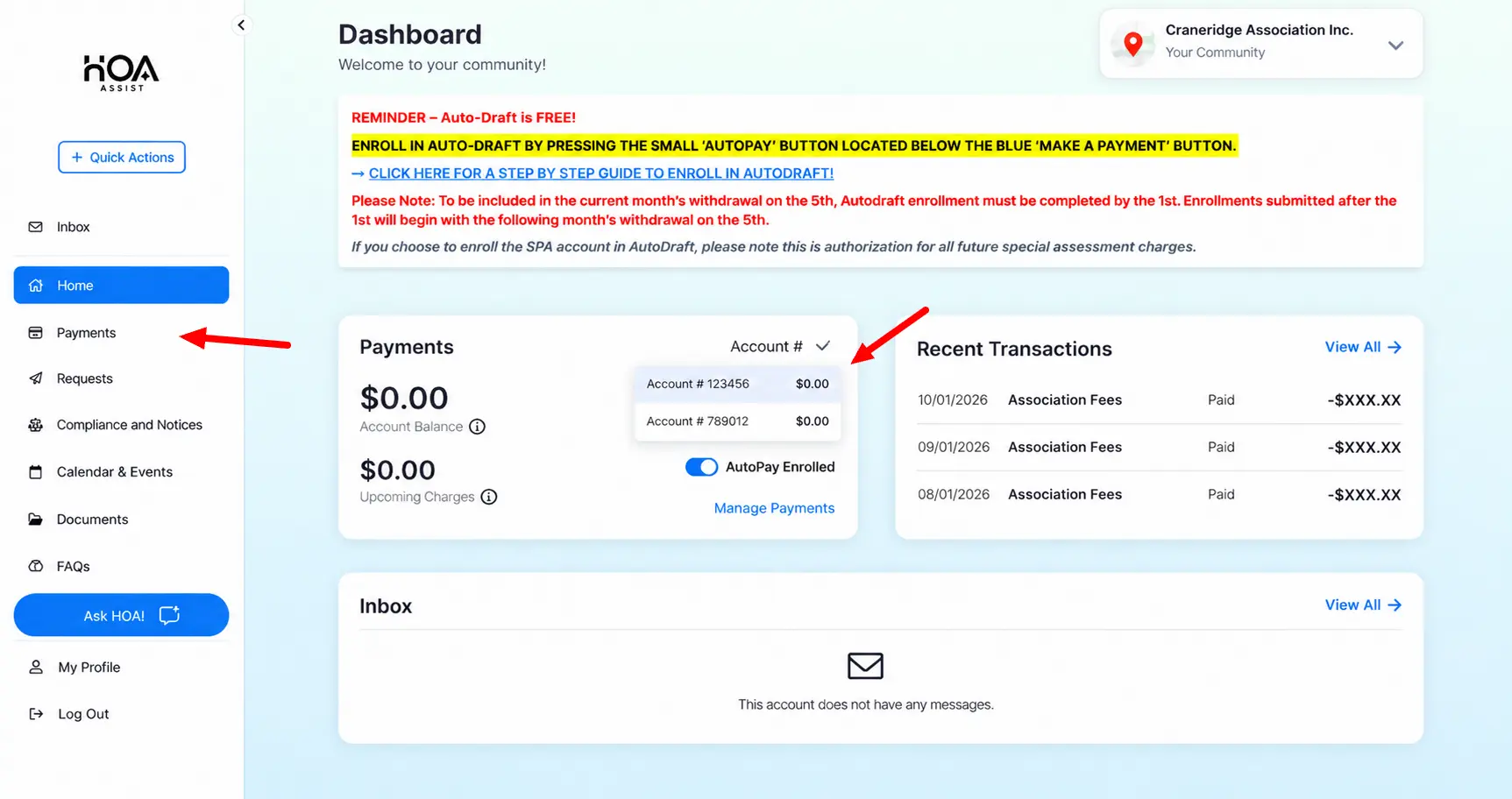
- Click the Account # dropdown in the upper-right corner of the Payments section. If you have multiple accounts, you can select each one individually to review its balance and any upcoming charges.
- For more detailed payment information, click Payments in the left-hand navigation menu. From there, you can review your account activity, payment history, and any outstanding or overdue balances.
Please Note: Payments and balances are tracked separately for each account. Be sure to review both your regular HOA account and any special assessment accounts to ensure there are no outstanding payments.
We’ve included a screenshot below to help you locate the account dropdown and Payments menu.
We encourage all residents to periodically review their accounts to make sure payments are up to date and no outstanding balances have been overlooked.